PNG vs JPG: Which Format Should You Actually Use?
PNG vs JPG explained simply: which is smaller, which keeps transparency, and exactly when to use each — with a rule of thumb that covers 95% of cases.
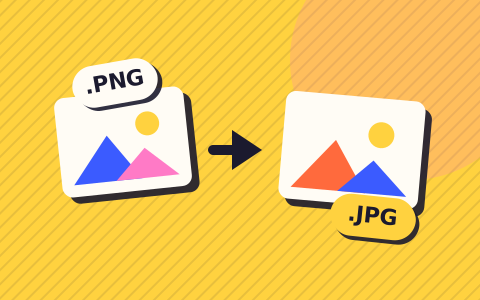
The rule of thumb that covers almost every case: photos → JPG, everything else → PNG. Here’s why, and the exceptions worth knowing.
| Item | JPG | PNG |
|---|---|---|
| Compression | Lossy (discards detail) | Lossless (exact pixels) |
| Transparency | None | Full alpha channel |
| Best for | Photos, natural images | Screenshots, logos, text, UI |
| Typical photo size | Small (≈ 600 KB) | Large (≈ 4 MB) |
| Text edges | Slightly fuzzy | Perfectly crisp |
How they differ under the hood
JPG uses lossy compression built for photographs — it discards fine detail the eye barely registers, which is why a photo can shrink 80% with no visible change. PNG is lossless: every pixel is preserved exactly, which keeps hard edges (text, logos, UI screenshots) perfectly crisp but produces much larger files for photos.
When JPG wins
Anything that came out of a camera: portraits, landscapes, product shots. Smooth gradients and natural textures hide JPG’s compression completely. At 85–90% quality, a 4 MB PNG photo becomes a 600 KB JPG that looks identical.
When PNG wins
Screenshots with text (JPG makes text edges fuzzy), logos and diagrams with flat colors, and anything needing transparency — JPG has no transparent pixels at all. If you convert a transparent PNG to JPG, the transparent areas must be filled with a solid color.
The email and web angle
Web pages and emails load faster with smaller images, and photo-heavy PNGs are the most common accidental bloat. If a photo somehow became a PNG (screenshots of photos are the classic case), converting it to JPG is usually the single biggest size win available.
Also useful: JPG to PNG · SVG to PNG
Questions people ask
Is converting JPG to PNG ever useful?
Rarely for quality — the JPG’s lost detail doesn’t come back. It’s useful only when a system demands PNG or you need to add transparency in an editor.
What about WebP?
WebP beats both for web delivery but has compatibility gaps outside browsers — convert to PNG or JPG when a tool refuses it.