What is a HEIC file, and how do you open or convert one?
What is a HEIC file? Why iPhones save photos this way, how to open them on Windows 11, Mac and Android, and how to convert HEIC to JPG for free.
A HEIC file is a photo saved in the High Efficiency Image File Format (HEIF), the format iPhones and iPads use when the camera is set to High Efficiency. It holds the same kind of picture as a JPG but compresses it far better, so each photo takes up less space. The catch is compatibility: Windows needs extra software to open it, and many websites refuse it.
What HEIC and HEIF actually are
HEIF is a container format developed by MPEG, the group behind the MP4 video standard, and published as ISO/IEC 23008-12. Nokia’s HEIF reference pages describe it as a standard for storing images and image sequences. The container can hold different kinds of compressed image. When the picture inside is compressed with HEVC (also called H.265, the codec iPhones use for video), the file usually gets the .heic extension. That’s why you’ll hear HEIC and HEIF used almost interchangeably.
The point of all this is size. Apple says HEIF and HEVC compress more efficiently than JPEG and H.264, so photos take up less space on your iPhone and in iCloud Photos without a visible drop in quality. How much you save depends on the photo: busy, detailed scenes save less than plain ones.
Why your iPhone saves photos as HEIC
Apple switched to HEIF for photos and HEVC for video in iOS 11. Its support article on using HEIF or HEVC media on Apple devices says the formats use less storage on your devices and in iCloud Photos without reducing visual quality. Apple lists the iPhone 7 and every later model as able to capture in HEIF, which happens when the camera format is set to High Efficiency.
Inside Apple’s own apps you never notice. Photos, Messages and iCloud all read HEIC without complaint, and macOS has opened it since High Sierra (10.13). The trouble starts when the file leaves that world: a Windows laptop, an online form that only accepts JPG and PNG, or an older Android phone.
How to open HEIC files on Windows 11
Windows 11 can display HEIC photos in the Photos app, but only once two codecs are installed from the Microsoft Store. The HEIF Image Extension listing says that the HEVC Video Extensions package must also be installed to view images stored in HEIF files, which includes .heic.
| Store app | What it does | US price (November 2026) |
|---|---|---|
| HEIF Image Extension | Lets Windows read and write the HEIF container | Free |
| HEVC Video Extensions | Decodes the HEVC-compressed picture inside | $0.99 |
To set it up, open the Microsoft Store, search for each name, install both, then double-click a HEIC file. It should open in Photos, and File Explorer will start showing thumbnails.
Is it worth 99 cents? If you get iPhone photos every week, probably. For a handful of pictures from a relative, converting them is quicker and free. Either way, the codecs only help on your own PC. The moment you email that photo or upload it to a website, the person at the other end has the same problem, and a JPG is what fixes it.
Opening HEIC on a Mac and on Android
On a Mac running High Sierra or later, HEIC files open in Preview and Photos like any other image. Nothing to install.
Android is less tidy. Google’s supported media formats page lists HEIF decoding from Android 9.0, but marks it as optional for each device. In practice most recent phones show HEIC photos in their gallery app, while some older or budget models don’t. If one won’t open, converting it to JPG is the reliable fix.
How to convert HEIC to JPG on Windows, Mac or a phone
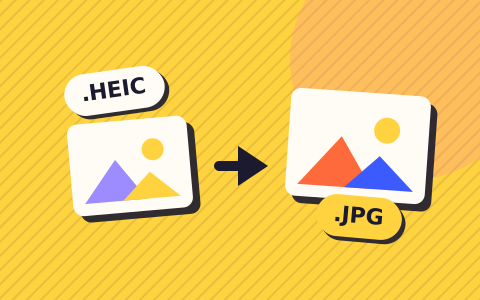
The quickest way on any computer is a browser converter that doesn’t need the codecs. Our HEIC to JPG converter decodes the photo on your own device, so the picture is never uploaded:
- Open the converter in Edge, Chrome, Firefox or Safari.
- Drop the HEIC file into the box, or click to choose it.
- Wait a few seconds the first time while the decoder (about 1.3 MB) loads.
- Leave the quality at the default 92%, or lower it for a smaller file, then press Download.
Expect the JPG to be larger than the HEIC you started with. That’s normal, because JPG compresses less efficiently. If you need it smaller for an email or form, run it through compress image afterwards.
On a Mac you can also use Preview. Apple’s guide to converting image file types in Preview says to open the photo, choose File > Export, pick JPEG from the Format menu, set the quality and click Save.
For editing or design work, where you want every pixel kept, convert HEIC to PNG instead. A PNG of an iPhone photo is often 10 to 30 MB, so only use it when you need lossless.
Stop your iPhone saving HEIC in the first place
If you’d rather never deal with HEIC, you can change the camera format. Apple’s instructions:
- Open Settings and tap Camera.
- Tap Formats.
- Choose Most Compatible.
New photos are then saved as JPEG and new videos as H.264. Existing photos stay as they are. The cost is storage: your new photos will be bigger, so you’ll fill the phone and iCloud sooner.
You may not need to go that far, because iOS already converts in many cases. Apple says photos sent by AirDrop, Messages or email may arrive as JPEG when the receiving device doesn’t support HEIF. When you import over USB into a PC, Apple notes the photos may be converted to JPEG on the way. That only stops if you open Settings > Apps > Photos and choose Keep Originals, so check that setting if your PC keeps receiving HEIC files.
A sensible middle ground is to keep High Efficiency on for the space savings and convert only the photos you need to send. When one turns up as HEIC, drop it into the HEIC to JPG converter and you’ll have a JPG in a few seconds.
Also useful: Remove Photo Metadata
Questions people ask
Is HEIC better quality than JPG?
At the same file size, usually yes. HEIC uses newer compression, so it keeps more detail per megabyte, and Apple says it saves storage without reducing visual quality. Converted to JPG at a high quality setting, most photos look the same to the eye, but the JPG file will be bigger.
Why do some iPhone photos arrive as JPG and others as HEIC?
Apple converts photos when it thinks the receiving device can’t read HEIC. Sharing by AirDrop, Messages or email may send a JPG, while iCloud Photos keeps the original format. Copying over USB to a PC may convert to JPEG unless Keep Originals is chosen in the Photos settings.
Do I have to pay to open HEIC files on Windows 11?
Partly. The HEIF Image Extension app is free in the Microsoft Store, but Microsoft says HEVC Video Extensions must also be installed to view HEIC photos, and that one costs $0.99 in the US store. A browser converter avoids both if you only have a few photos.
Will converting HEIC to JPG lose quality?
JPG is a lossy format, so a tiny amount of detail is dropped each time. At a quality setting around 90% you won’t see the difference in normal viewing. If you plan to edit the photo heavily, convert to PNG instead, which is lossless but much larger.
Can Android phones open HEIC files?
Most current ones can. Android has supported decoding HEIF images since Android 9, though Google’s developer documentation marks support as optional for each device. If a photo won’t open on an older phone, convert it to JPG first.